Work
Experiments
About
Resume
Contact
SOC Platfrom
SOC Optimization & Alert Fatigue: Designing Effective Alerts in Cybersecurity Dashboards
User Research
B2B
Cybersecurity
UCD
Usability Testing
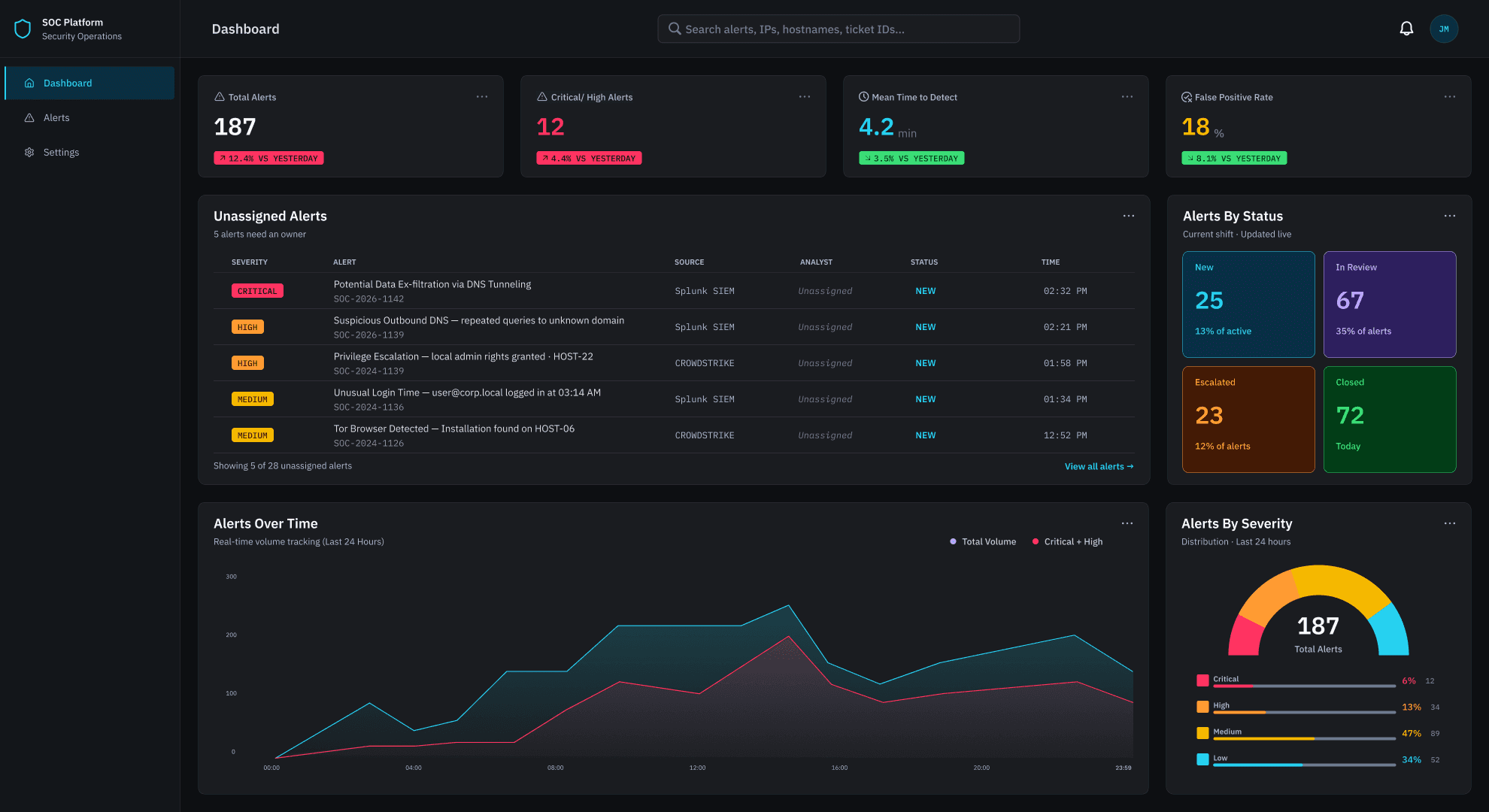
Role
Lead UX Researcher & Designer
tools
Figma · FigJam · Zoom · Otter AI · Claude AI
timeline
9 months
Project overview
This project began with a question I couldn't stop thinking about after working as a UX designer at Opsin, a cybersecurity company: what does it actually feel like to be a SOC analyst staring at a dashboard for hours, trying to catch a real threat buried inside hundreds of alerts?
Alert fatigue is one of the most pressing human factors challenges in cybersecurity. Analysts working in Security Operations Centers are responsible for monitoring, triaging, and escalating security alerts in real time — often across multiple client environments, on long shifts, with tools that weren't designed with their cognitive limits in mind. The consequences aren't abstract: a missed alert can mean a real breach.
For my graduate capstone, I applied a full User-Centered Design process to this problem — nine months of research, concept development, design, and usability testing, supported throughout by a faculty adviser. I also integrated AI throughout the process — using Otter.ai for interview transcription and Claude for research synthesis, brainstorming, and content iteration. The project let me go deeper into the cybersecurity domain and explore something I find genuinely fascinating: how small, precise design decisions — the micro interactions of an interface — can directly affect a person's ability to detect risk under pressure.
Rather than redesigning an entire platform, I focused on a specific and underexplored slice: how the design of alert displays, prioritization systems, and filtering tools affects Tier 1 SOC analyst performance and well-being. Every decision was grounded in real analyst workflows and a research process designed to surface what task analysis alone rarely reveals.
Problem
SOC analysts face overwhelming alert volumes from dashboards that generate repetitive, low-priority notifications — making it difficult to distinguish real threats from noise.
goal
Reduce alert fatigue and improve Tier 1 SOC analyst performance and well-being through evidence-based dashboard design.
Research
COMPETITIVE ANALYSIS
5 SOC platforms were analyzed across alert display, prioritization, filtering, data density, and AI features.
What was learned:
Platforms are largely optimized for Tier 2/3 — Tier 1 needs are underserved
Alert noise is a recognized problem, but design solutions are inconsistent
No platform offers a unified, Tier 1-centered alert experience
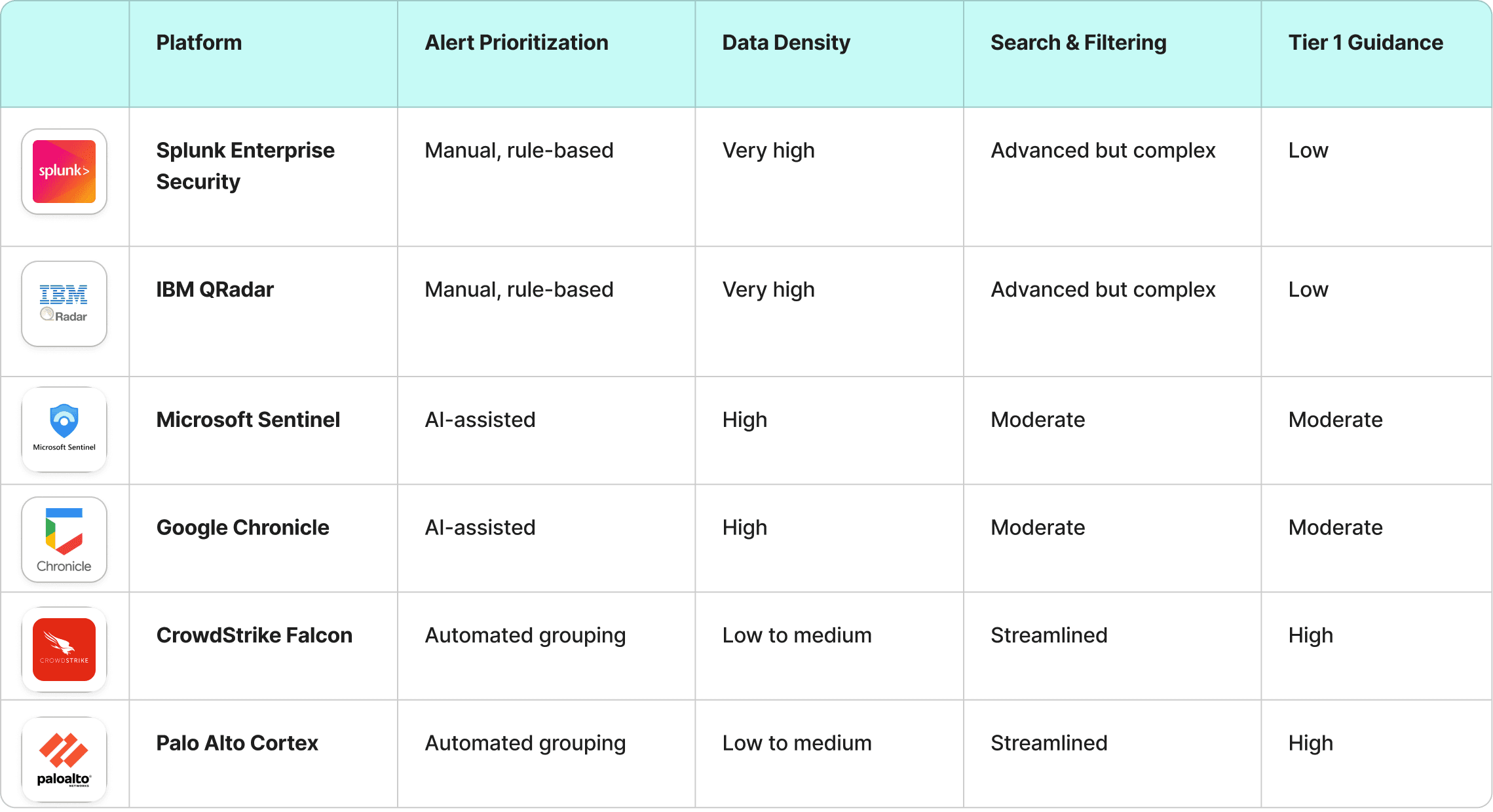
Competitive Analysis Table
Interviews
5 semi-structured interviews with Tier 1 SOC analysts, conducted over Zoom. Sessions explored daily workflows, pain points, tools used, and mental models around alert triage.
FINDING 1
Alert volume is overwhelming and unlabeled
Tier 1 analysts face ~2,000 alerts per shift with no severity labels — relying entirely on experience and pattern recognition to prioritize. Without clear labeling, determining where to start was itself a cognitive task.
FINDING 2
Severity is visible but still needs confirming
Women preferred to choose their therapist, while men were either indifferent or preferred therapists who suited them.
FINDING 3
Too many tools, too much context-switching
Participants used a minimum of 5–7 systems per investigation. One analyst specifically identified navigating across tabs to find evidence and artifacts as the single thing she'd most want to change about her workflow.
Jobs-To-be-done (jtbd)
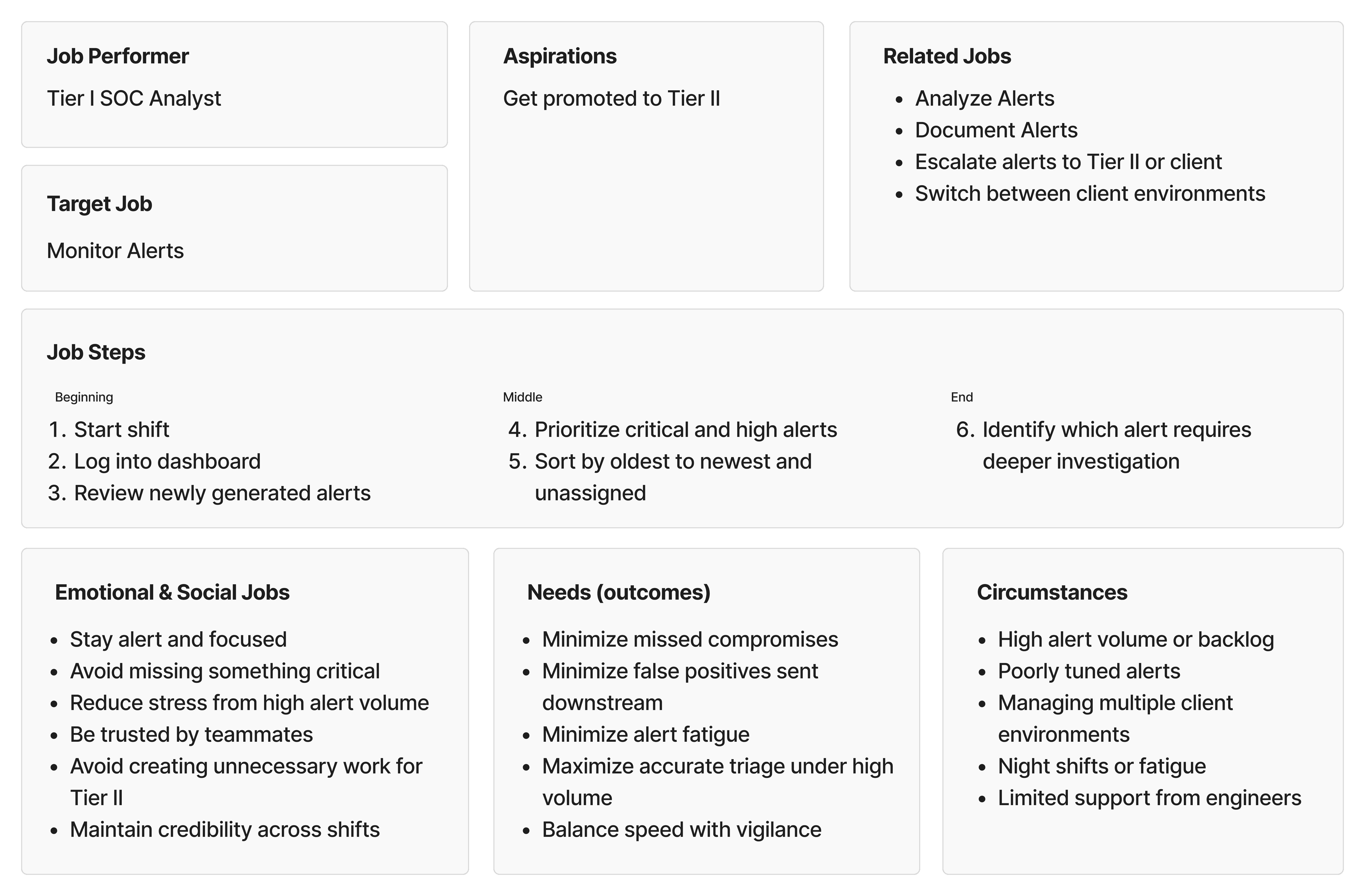
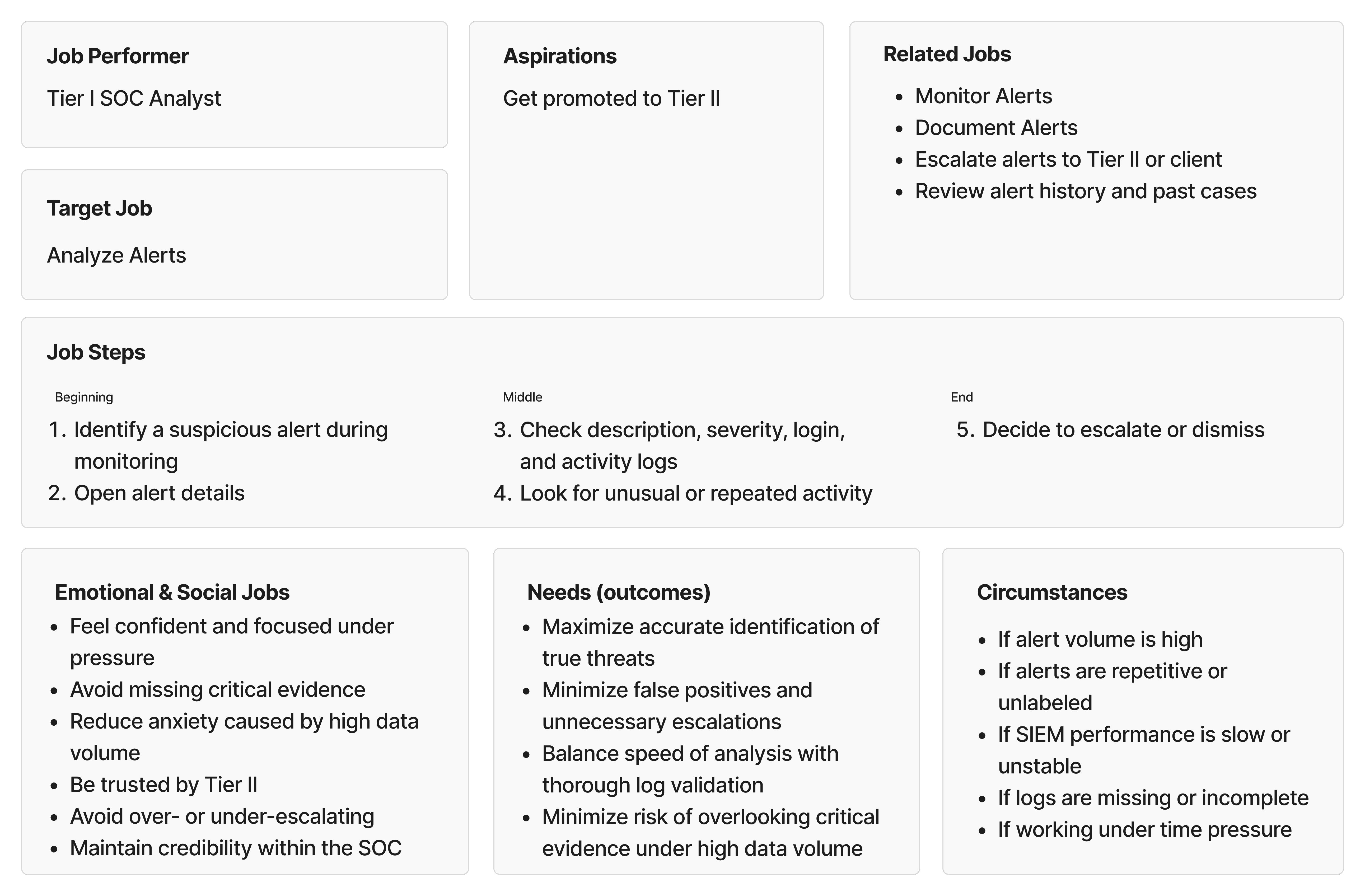
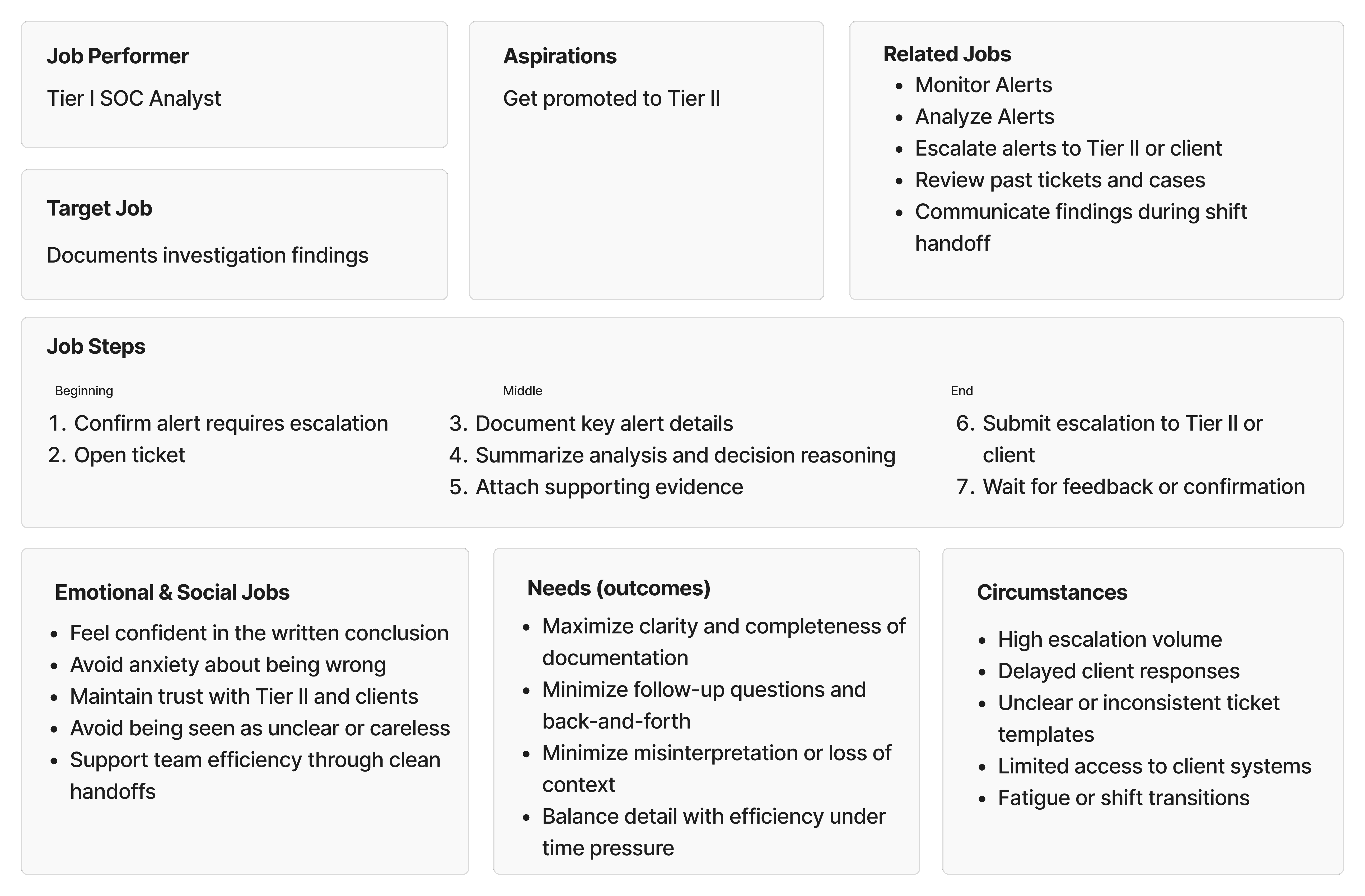
Jobs To Be Done is a framework that shifts the focus from what users do to why they do it — capturing not just tasks and steps, but the goals, emotional pressures, social stakes, and circumstances that surround them. I chose JTBD because SOC analyst work is deeply context-dependent: the same task feels entirely different at 3am on a night shift versus mid-morning with a full team. A task-based framework would have missed that.
Three core jobs were identified across participants:
Monitor Alerts — continuously scanning and triaging incoming alerts to separate real threats from noise
Analyze Alerts — investigating suspicious alerts in depth to determine threat legitimacy and decide on escalation (identified as the most time-consuming and highest-stakes job)
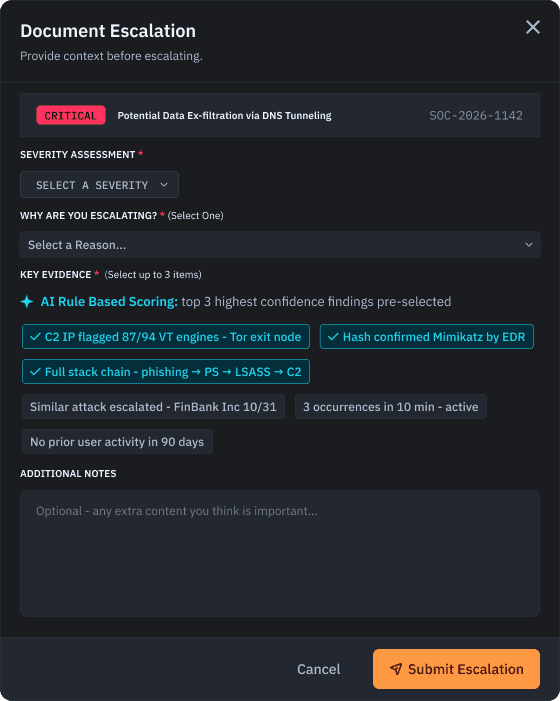
Document & Report — capturing findings clearly and escalating to the next tier so investigations can proceed without friction
A full JTBD canvas was developed for each job, mapping job steps, related jobs, desired outcomes, emotional and social jobs, and key circumstances. (Displayed as a carousel below.)
concept
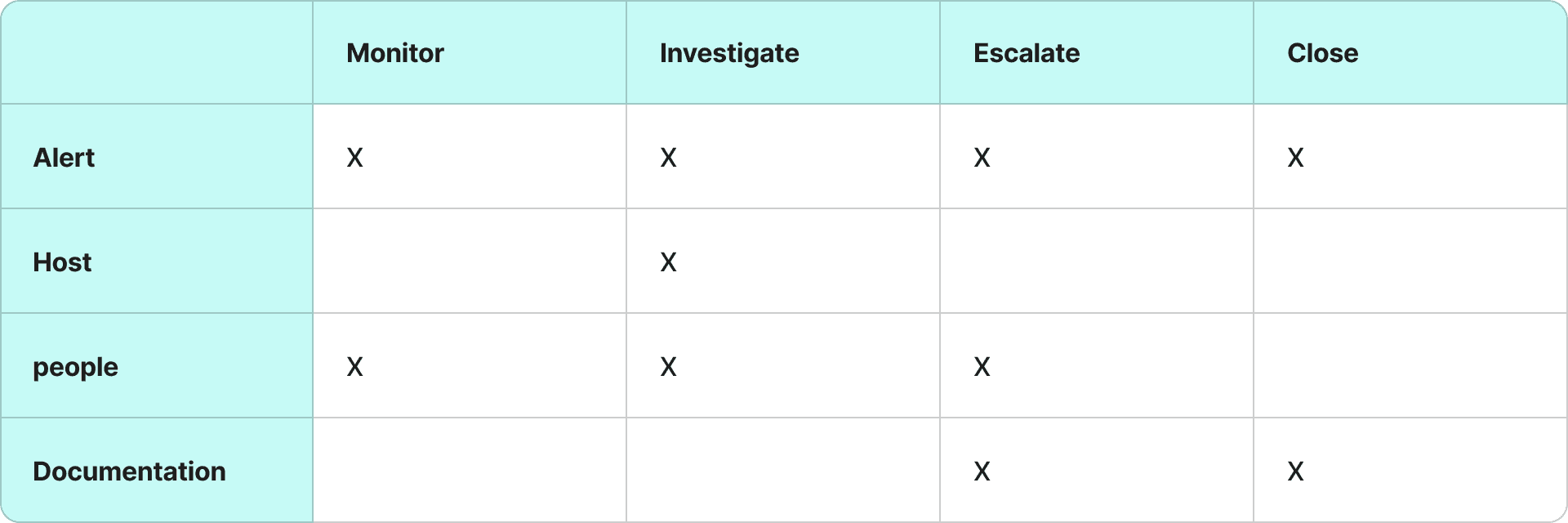
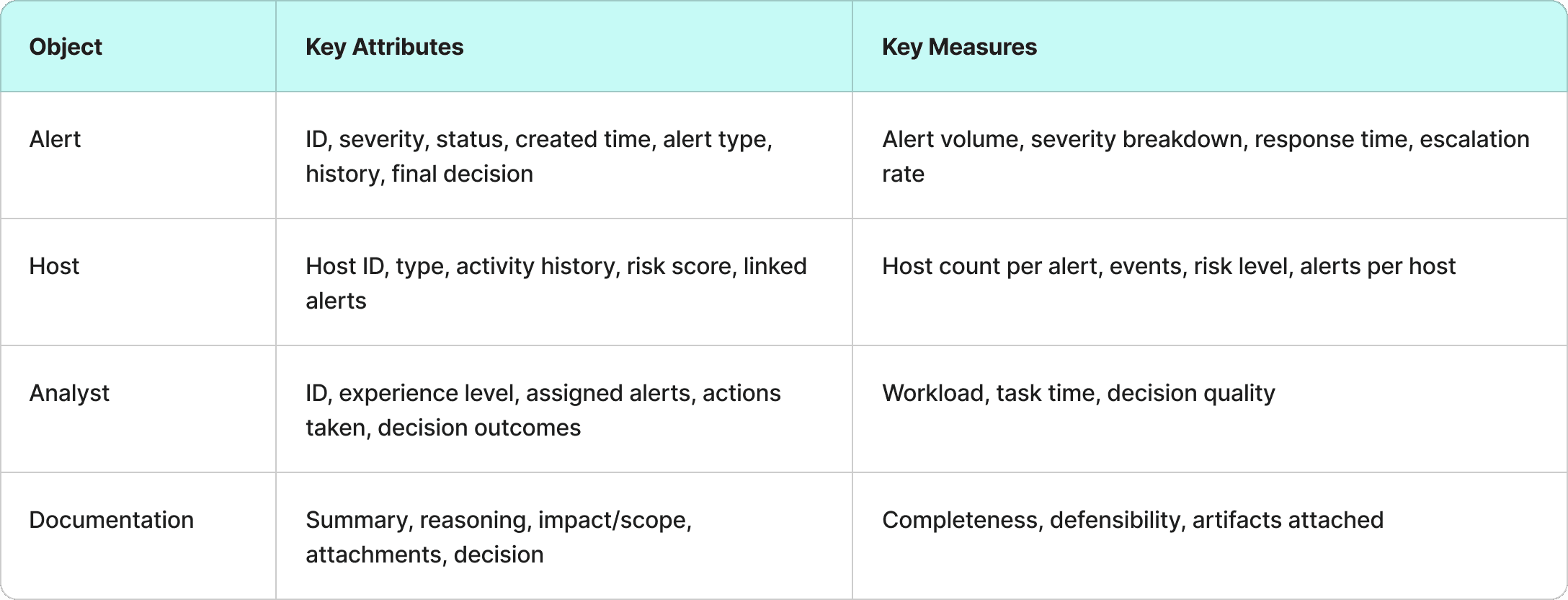
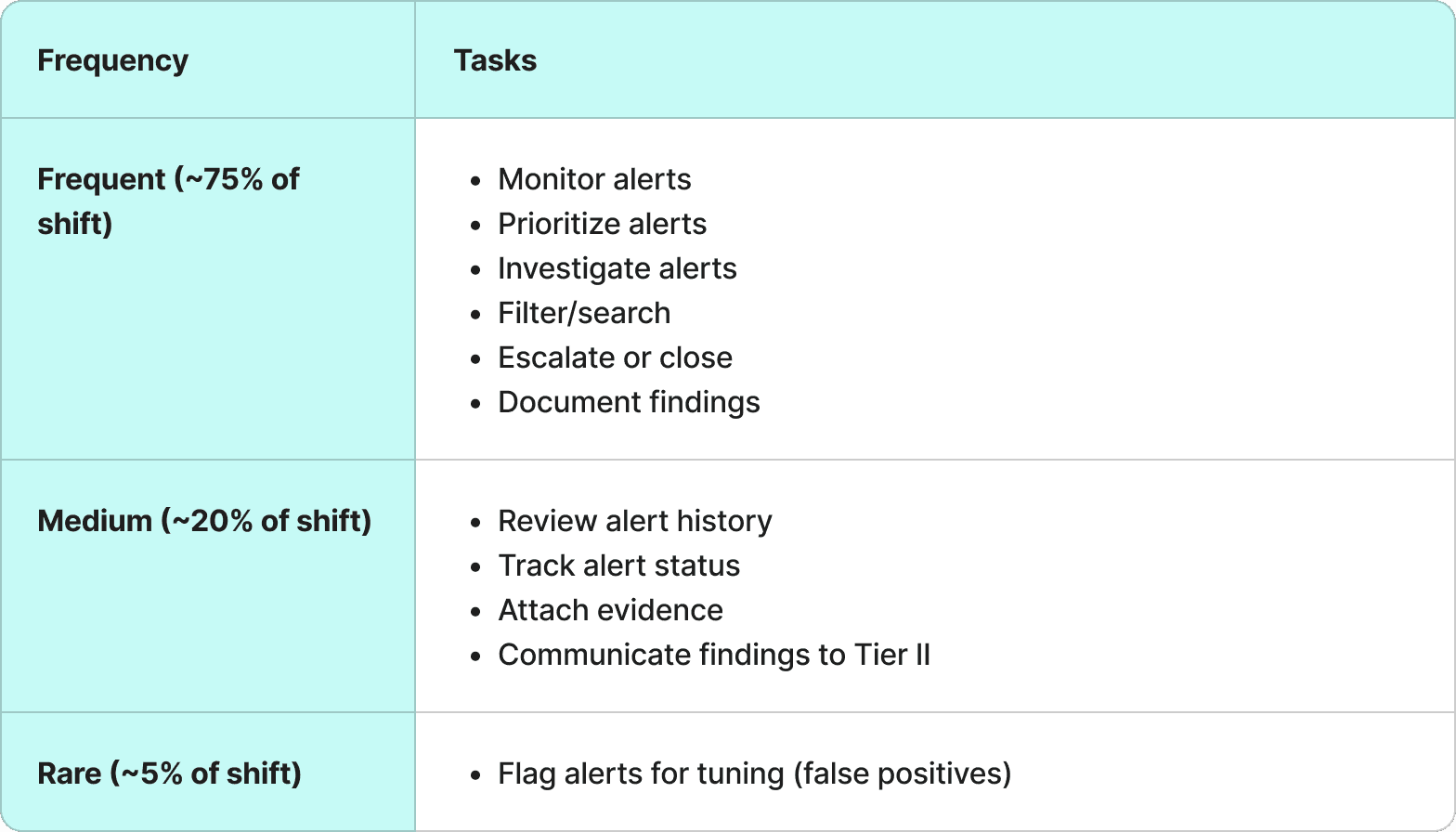
conceptual models
Before any sketching or prototyping began, a conceptual model was developed to define what the system needs to support — grounded in how Tier 1 analysts actually think about and perform their work. As Johnson and Henderson (2013) describe, a conceptual model defines abstractly what users can do with a system and what concepts they need to be aware of, in terms of tasks rather than screen graphics. The goal is to keep it as simple as possible, focused on the task domain. The model was built in three layers, each directly informed by the JTBD analysis and interview findings.
design
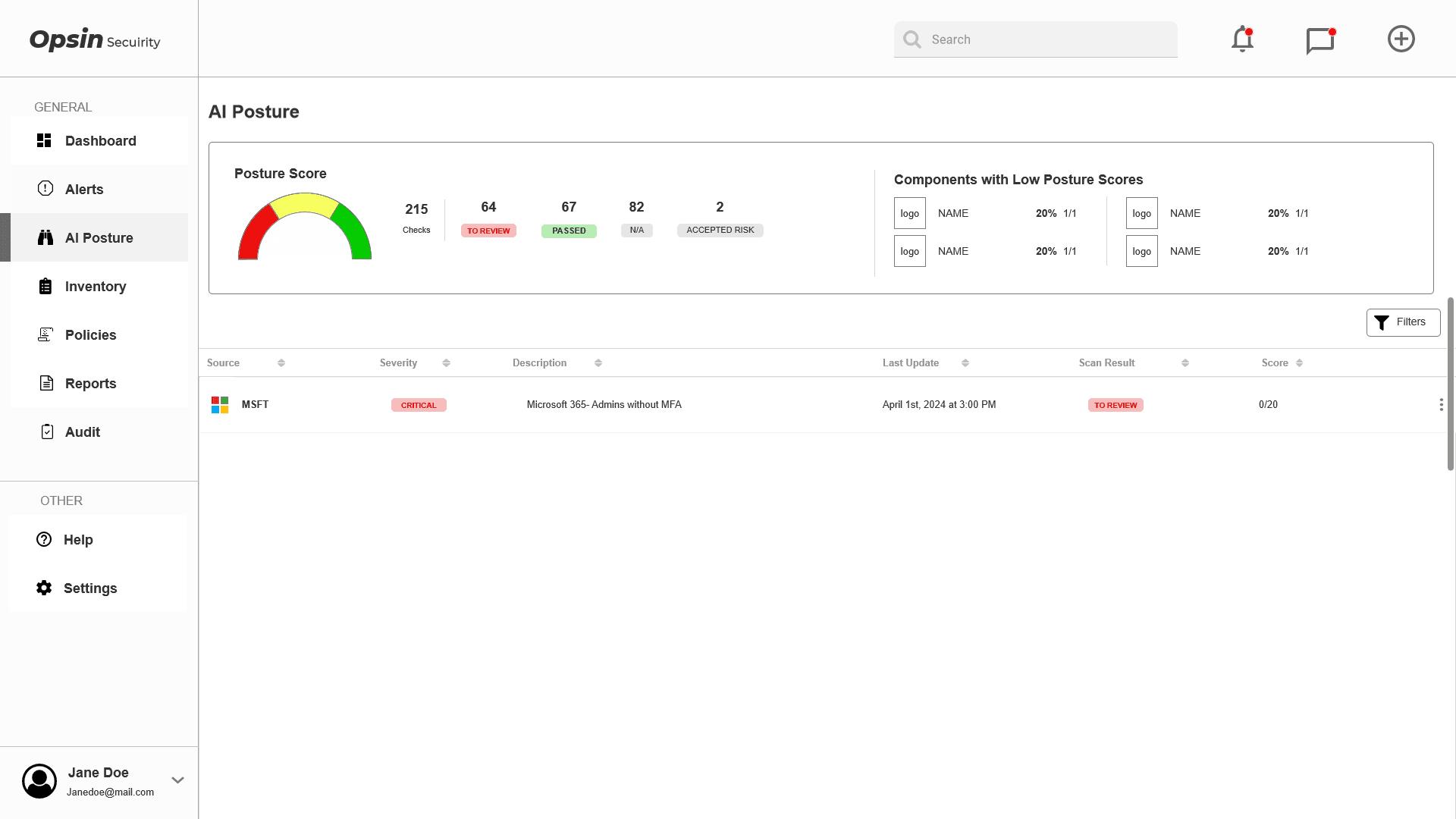
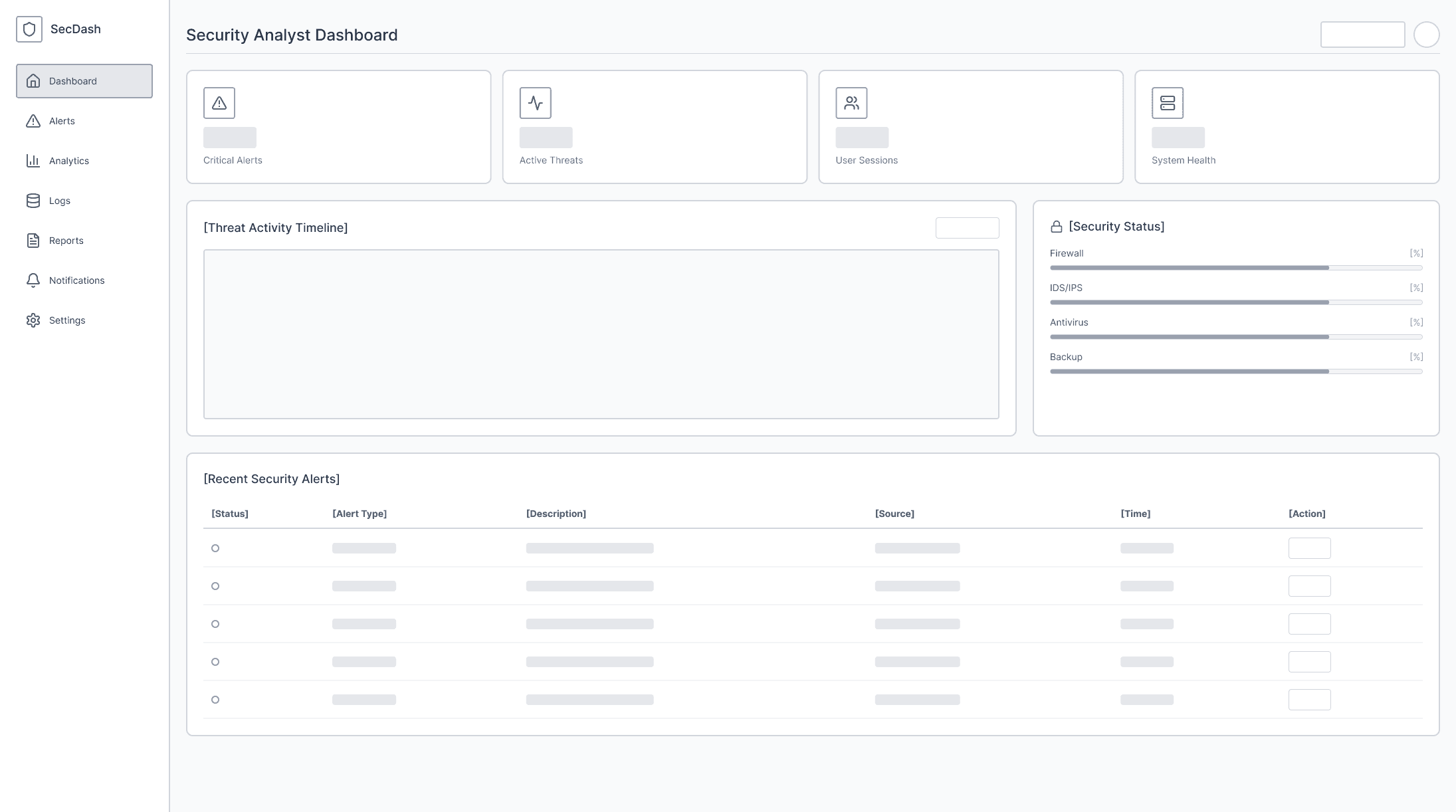
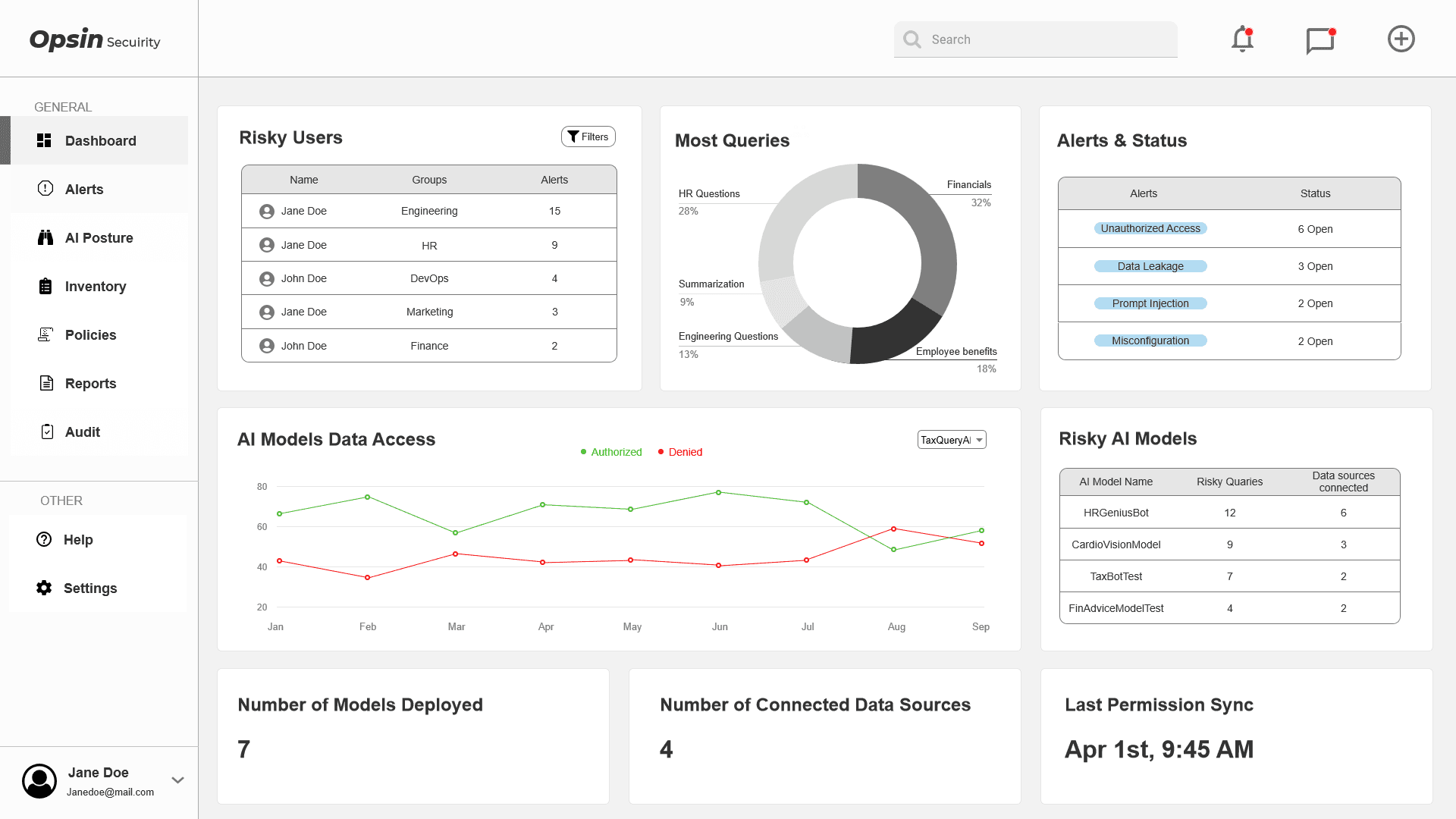
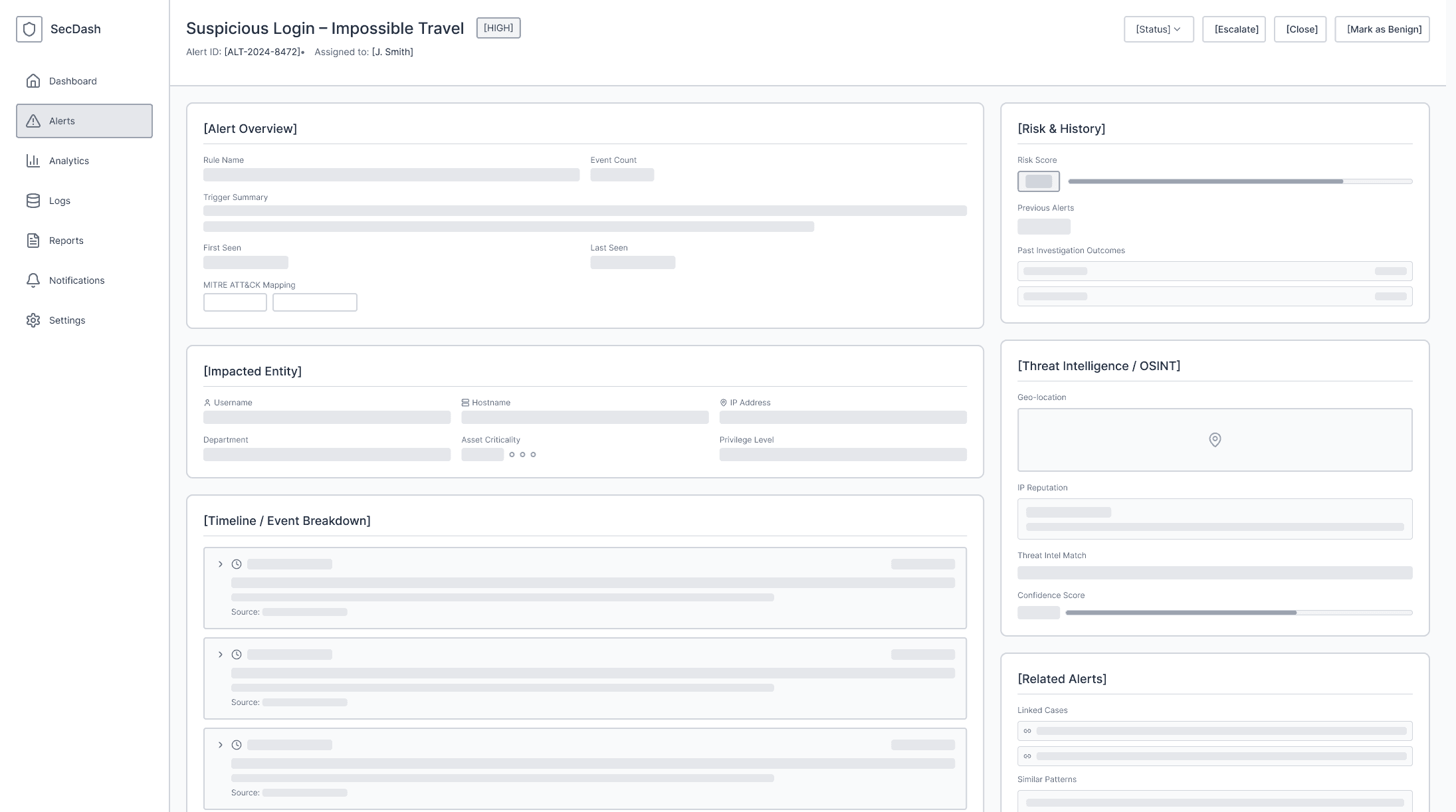
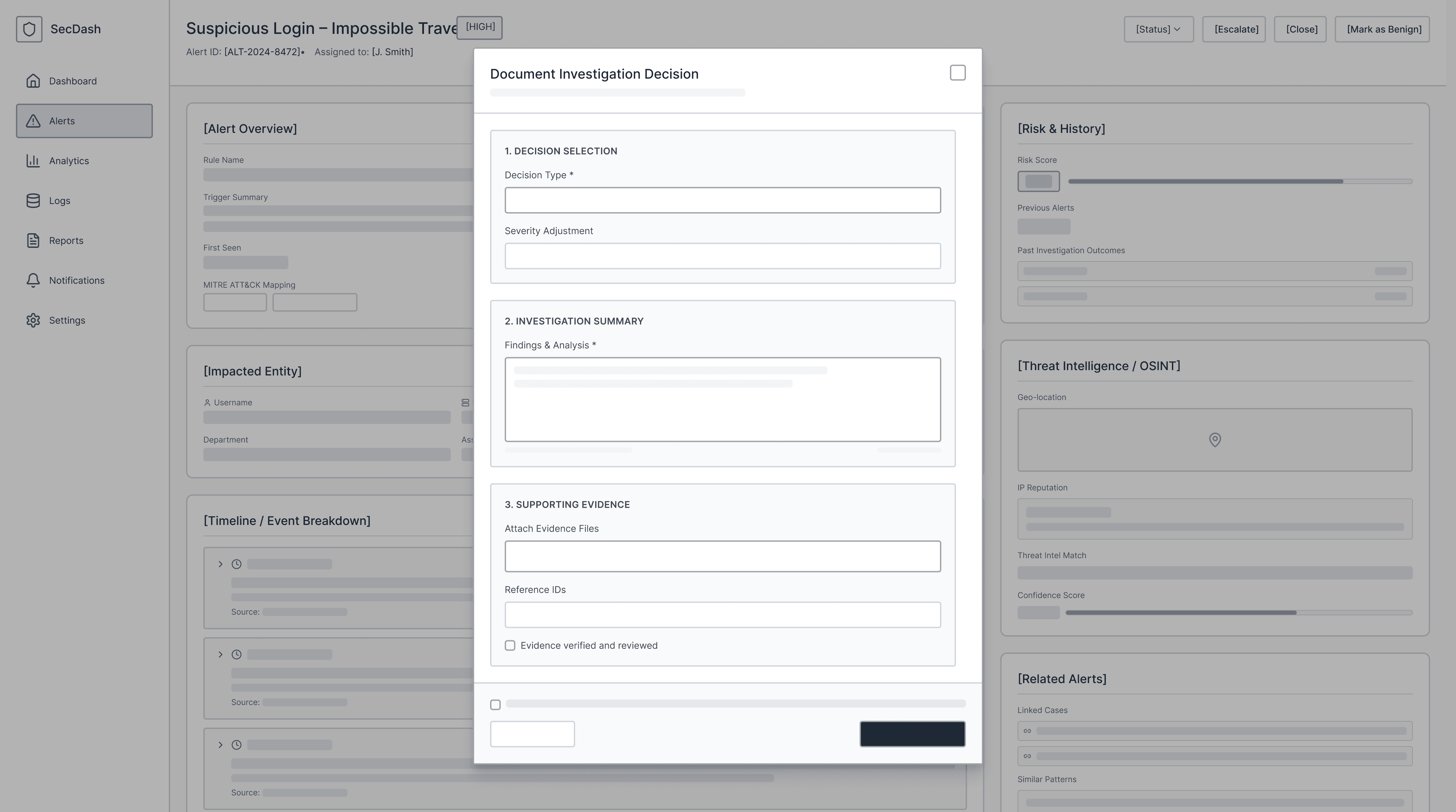
wireframes
Every wireframe decision mapped directly to a JTBD job step or pain point. Core structural decisions included:
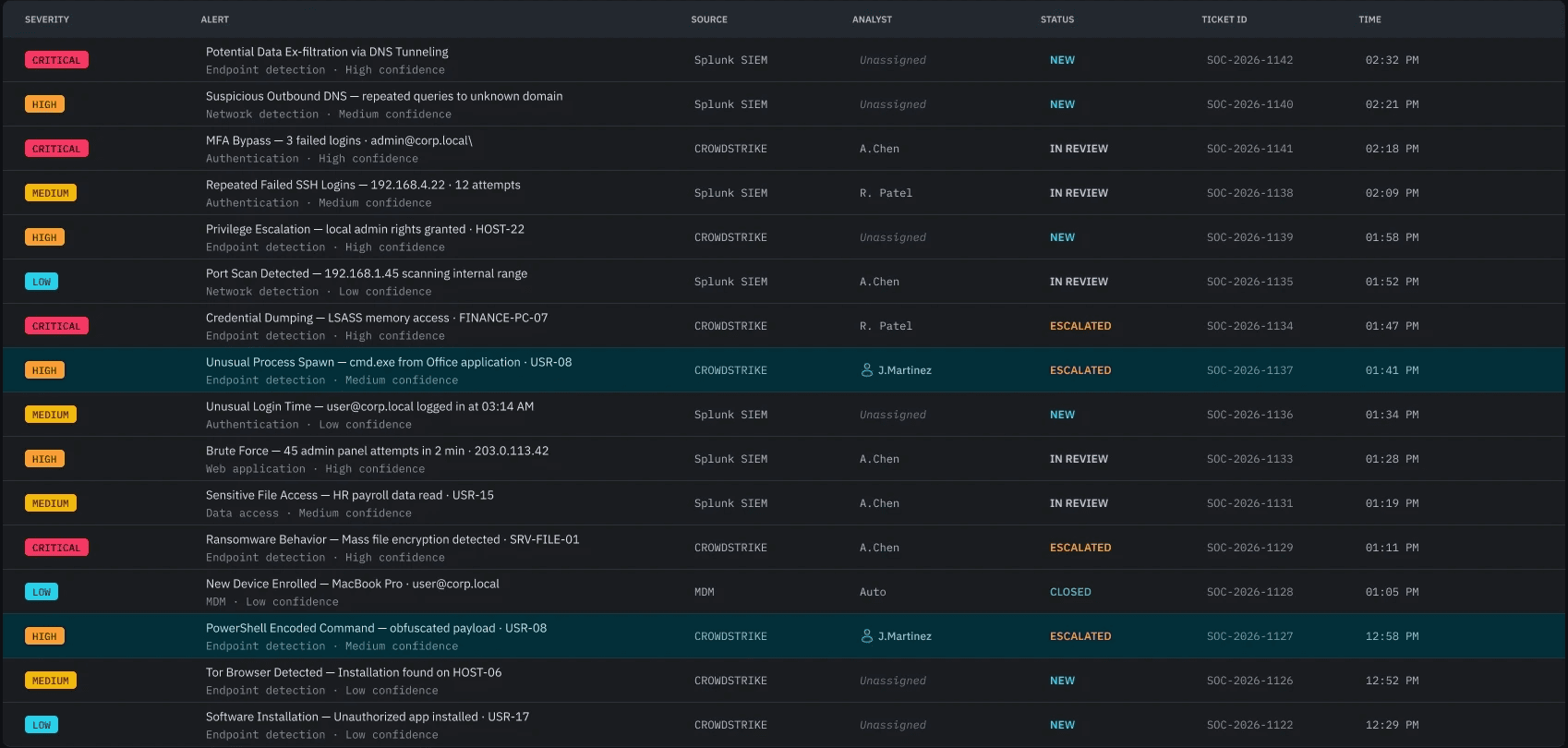
Severity-first alert hierarchy
Compact default view with expandable detail
Filtering toolbar accessible during active triage
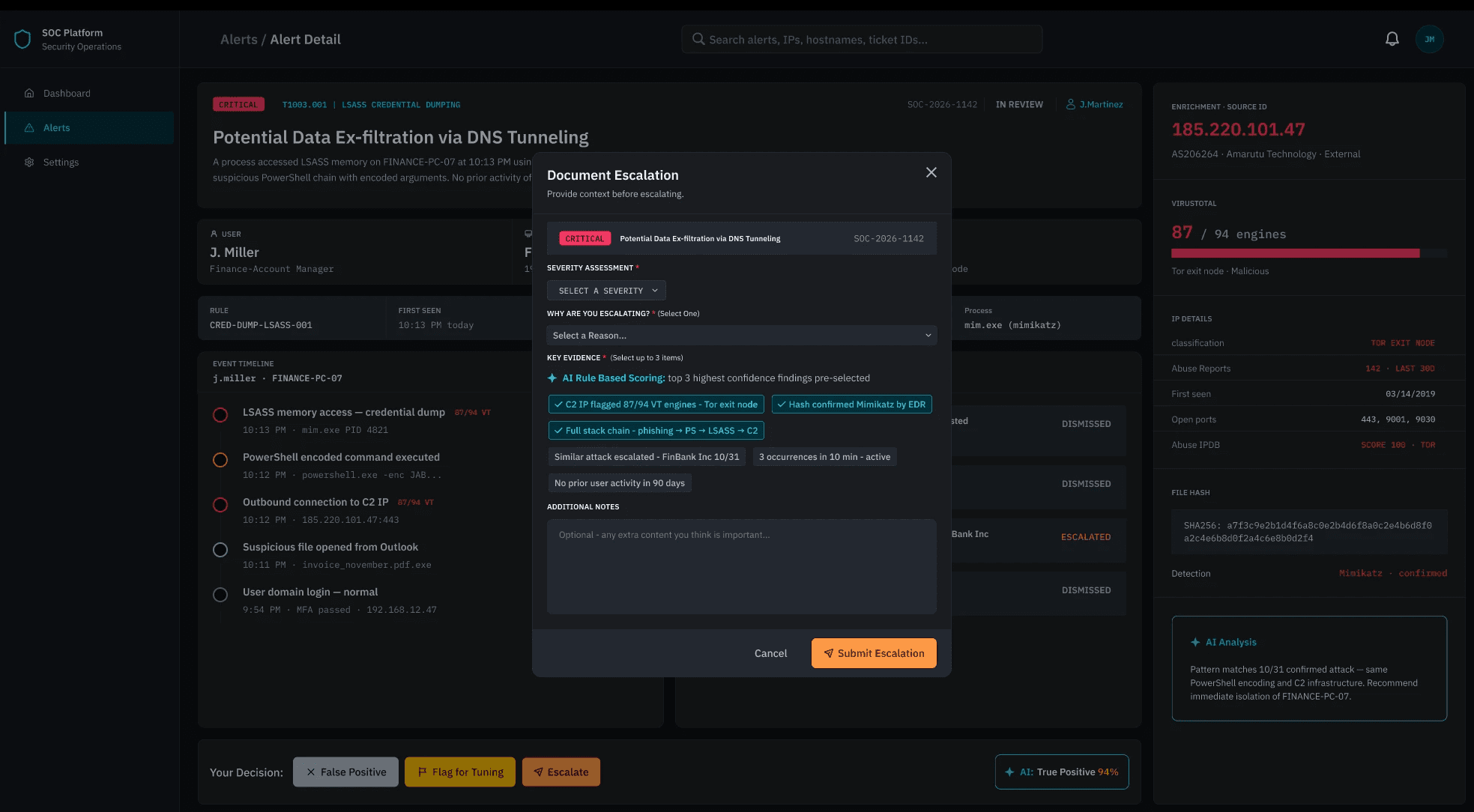
Alert detail panel — full context without navigating away
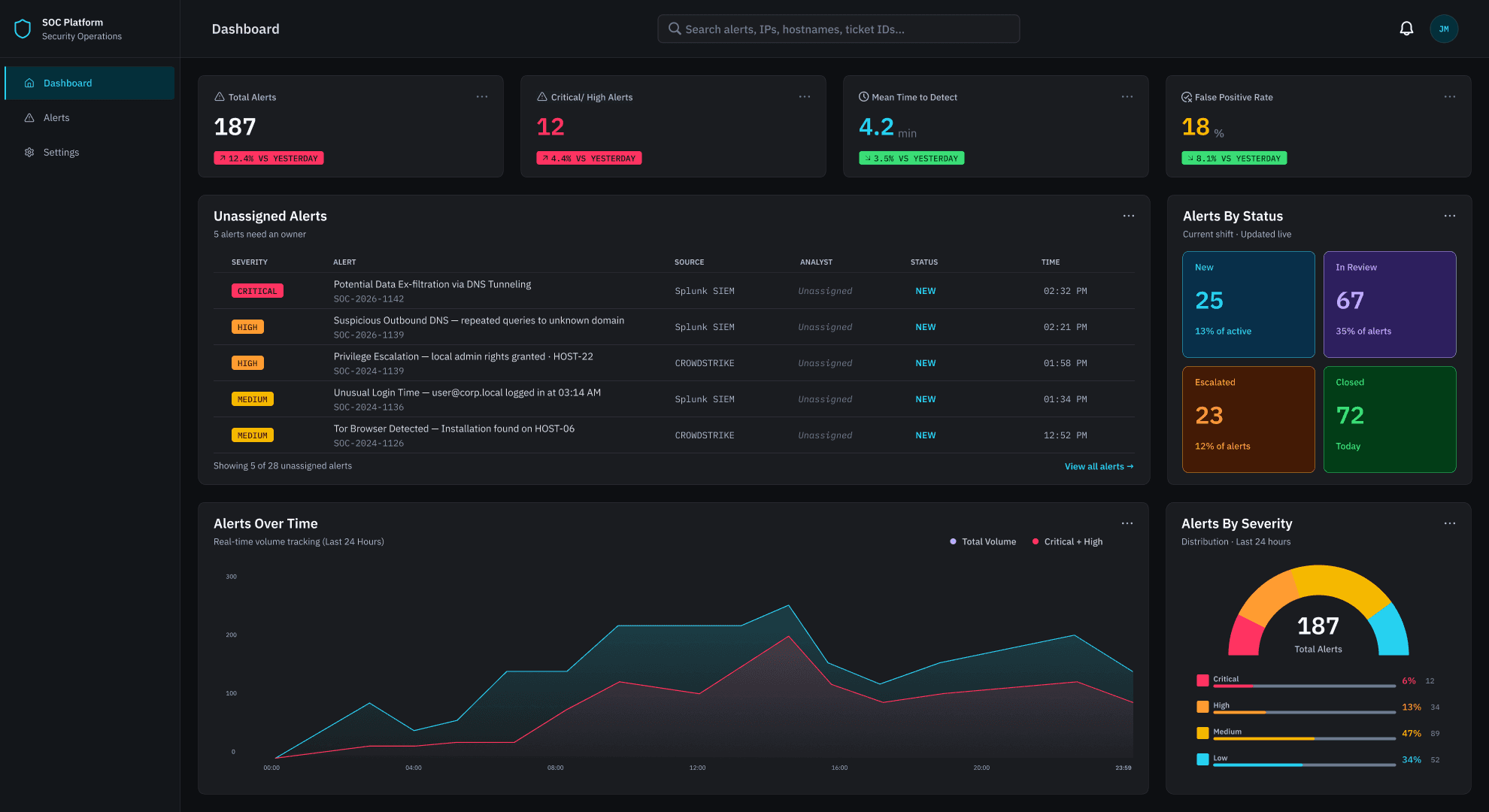
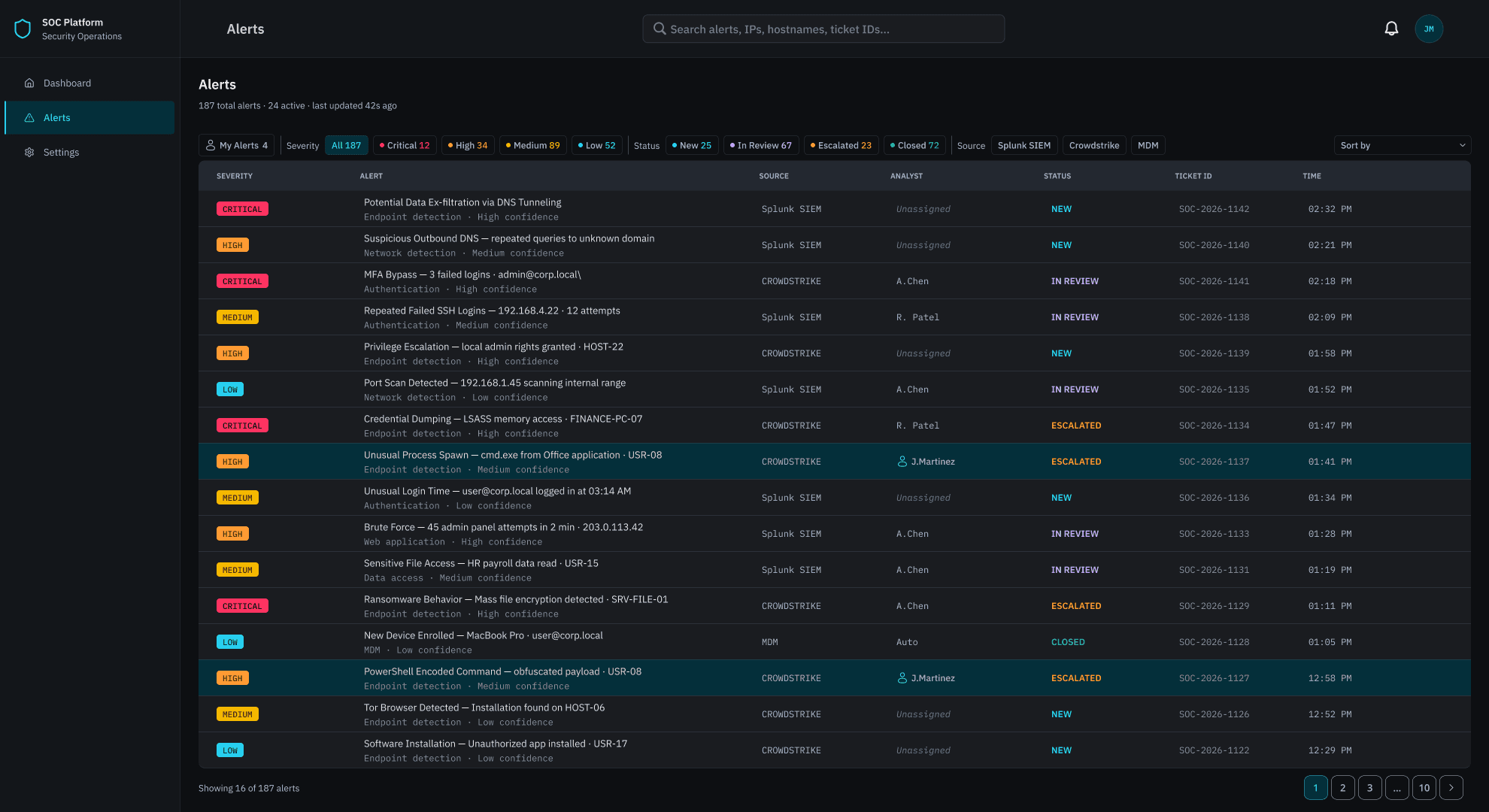
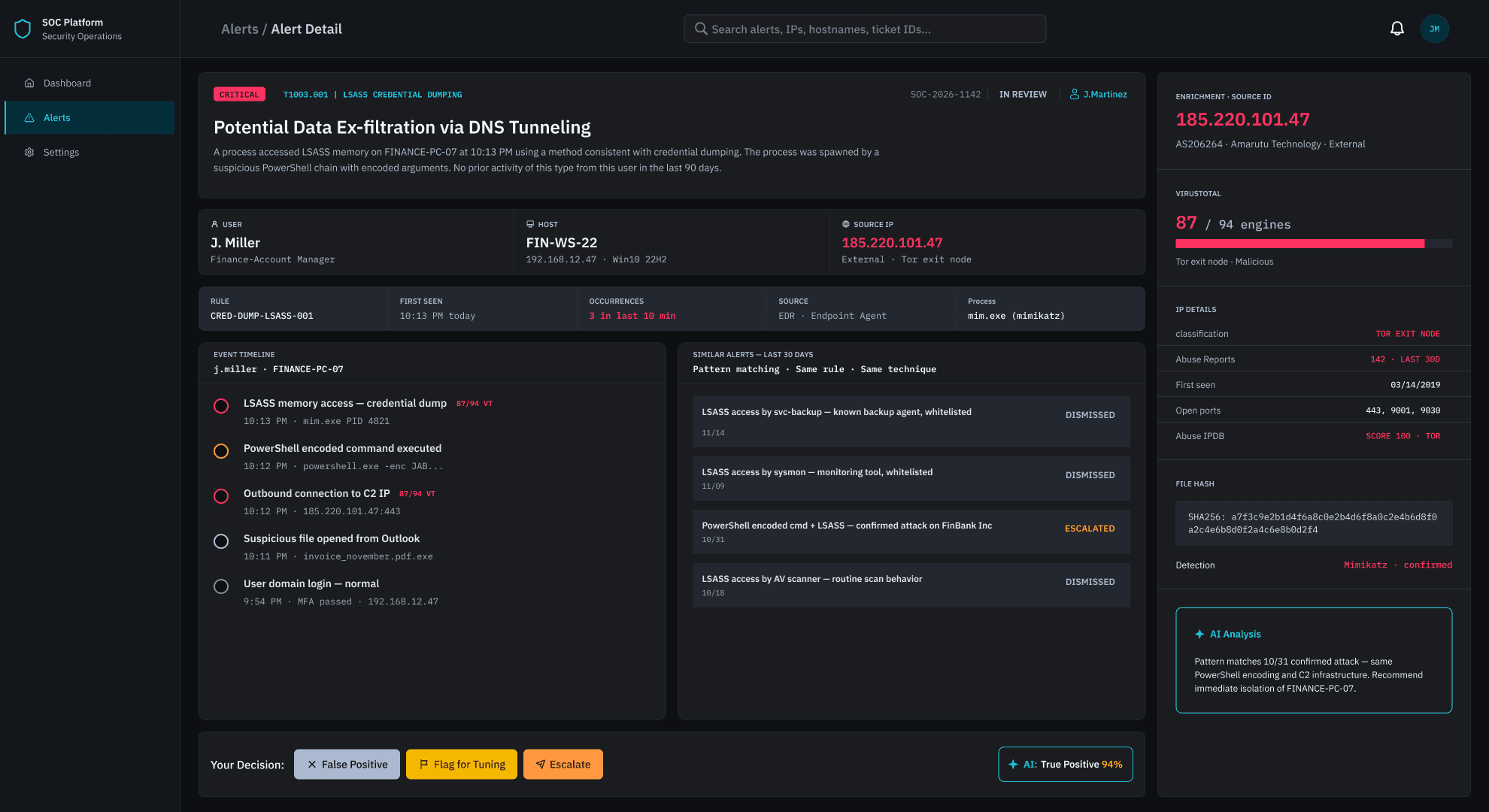
high-fidelity prototype
Before any sketching or prototyping began, a conceptual model was developed to define what the system needs to support — grounded in how Tier 1 analysts actually think about and perform their work. A conceptual model defines abstractly what users can do with a system and what concepts they need to be aware of, in terms of tasks rather than screen graphics. The goal is to keep it as simple as possible, focused on the task domain.
The model was built in three layers, each directly informed by the JTBD analysis and interview findings:

Testing
Usability testing
5 Tier 1 SOC analysts completed 4 scenario-based tasks over Zoom, followed by a System Usability Scale (SUS) questionnaire.
Participants
5
Tier 1 SOC analysts
Avg success rate
60%
No failures recorded
Avg assists
0.5
Per task
Avg confidence
4.4/5
Across all tasks
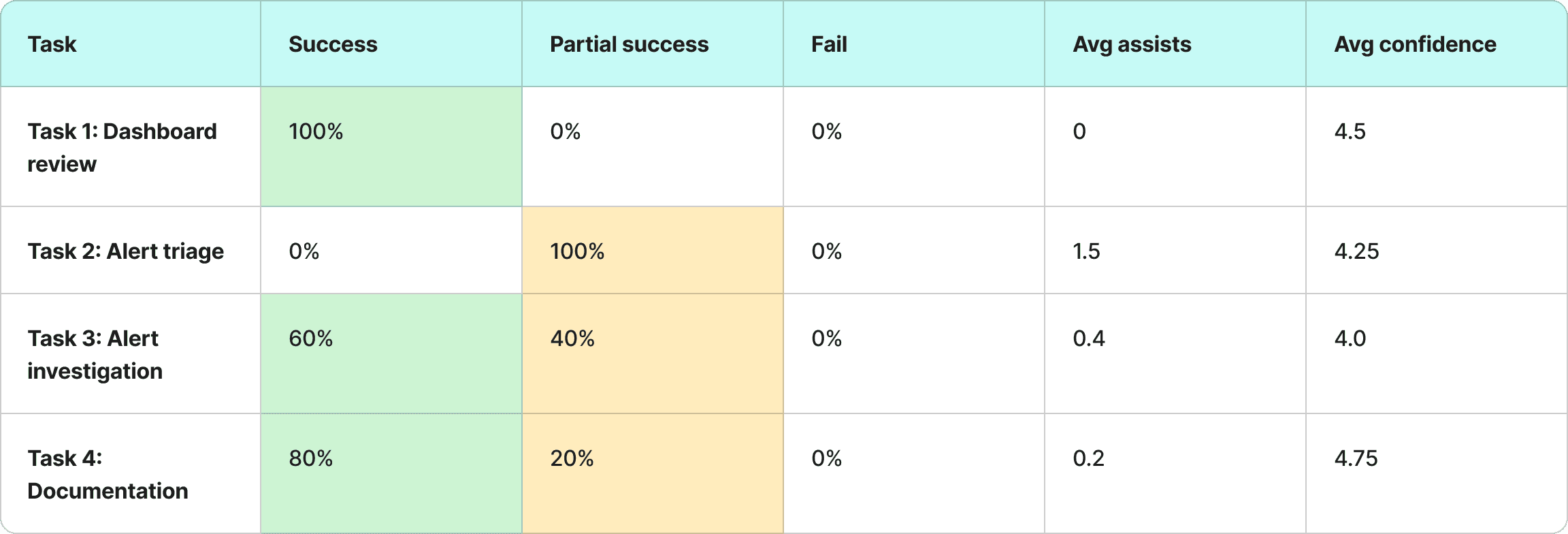
Task Performance Summary Table
SUS SCORE
83.75 / 100
Good
0
68-above avg
100
80.3-good
what worked
Dashboard orientation was immediate — all participants identified where to start without assistance
Alert detail panel gave the right context without requiring extra navigation
Guided documentation form reduced anxiety — described as quick and aligned with real workflow
Similar alerts panel surfaced context that current tools don't provide
AI suggestions felt non-intrusive — analysts appreciated staying in control of the final decision
what didn't work
Filtering toolbar went unnoticed by all participants — 0% full success on Task 2
Alert status column not visible enough — nearly caused a wrong alert selection
Ambiguous alert description language caused hesitation during investigation
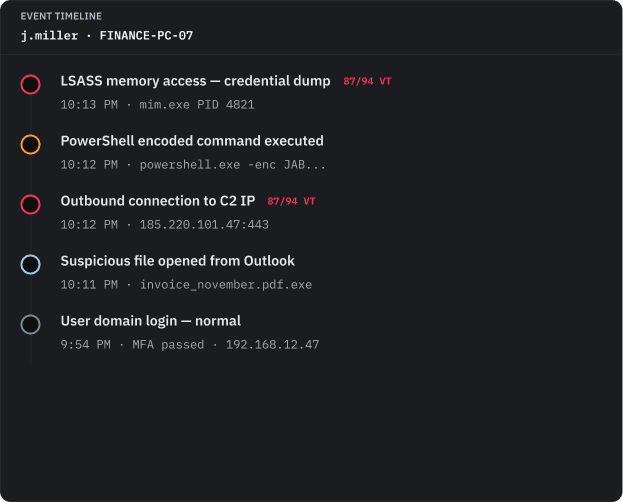
Event timeline direction was unclear — one participant read it in the wrong order
AI evidence panel label was confusing — purpose unclear before explanation
final iteration
Before any sketching or prototyping began, a conceptual model was developed to define what the system needs to support — grounded in how Tier 1 analysts actually think about and perform their work. A conceptual model defines abstractly what users can do with a system and what concepts they need to be aware of, in terms of tasks rather than screen graphics. The goal is to keep it as simple as possible, focused on the task domain.
The model was built in three layers, each directly informed by the JTBD analysis and interview findings:



learnings
Design for the sixth hour of a shift, not the first
Every decision was tested against: does this hold up under fatigue and time pressure? The SOC dashboard isn't just a data display — it's a cognitive tool used in high-stakes, high-volume conditions. That lens changed how I approached every single design choice.
JTBD surfaces what task analysis misses
The emotional and social dimensions of analyst work — credibility, pressure, trust — shaped design decisions as much as the functional requirements. Choosing JTBD over a purely task-based framework meant the design was built around the whole person, not just the workflow.
Discoverability is as important as capability
A feature that isn't found isn't a feature. The filtering toolbar failure in testing made this concrete — every participant missed it entirely. It was a clear reminder that designing a tool and designing for its discovery are two separate problems.
more case studies


